About Me

My photo
Spofford, New Hampshire, United States
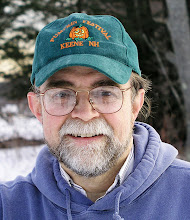
Jeff Newcomer had been a physician practicing in New Hampshire and Vermont for over 30 years. Over that time, as a member of the Conservation Commission in his home of Chesterfield New Hampshire, he has used his photography to promote the protection and appreciation of the town's wild lands. In recent years he has been transitioning his focus from medicine to photography, writing and teaching. Jeff enjoys photographing throughout New England, but has concentrated on the Monadnock Region and southern Vermont and has had a long term artistic relationship with Mount Monadnock. He is a featured artist in a number of local galleries and his work is often seen in regional print, web publications and in business installations throughout the country. For years Jeff has published a calendar celebrating the beauty of The New England country-side in all seasons. All of the proceeds from his New England Reflections Calendar have gone to support the Pulmonary Rehabilitation Program at the Cheshire Medical Center. Jeff has a strong commitment to sharing his excitement about the special beauty of our region and publishes a blog about photography in New England.

Saturday, November 16, 2013

Reclaiming the Sky


Boiling Sky, Langdon, New Hampshire
Finding the Hidden Detail 
 
Overcast skies have always been a challenge for photography and this is especially true in the Autumn, when the weather becomes more changeable. As I mentioned in last weeks blog article, the best approach flat dull skies has often been to crop them from the image, but with new powerful editing software it is possible to find interesting detail in those grey clouds without creating muddy foregrounds.   It is time to reclaim the sky.

Cheating with the Sky
For years it had been a habit of mine to collect images of nice skies.  Whether it was puffy white confections floating in a deep blue orb
Sky Archive
or the lovely colors of a golden sunset, I would always pause during my shoots to capture a few shots of the sky with as little ground as possible.  I would save these treasures in my "skies" folder to be pulled out whenever I had a picture with a lovely foreground but a flat washed out, overcast sky.  Back then, the selection tools in Photoshop were not as sophisticated as now, but I would still spend
Cheating on the Sky
time trying to seamlessly composite one of my skies to save my image.  The trick was to find a sky that seemed to match the scene's light direction and color, while muting the stark contrast between a bright sky and the softer foreground.  My results were decidedly mixed and, of course, bathed with artistic dishonesty. What can I say, I've always been willing to compromise my morals in the service of the image. The picture here represents the first time in years that I have blended a different sky into an image. The effect is purposely exaggerated, but I'm still glad that I don't have to do this anymore. 
 
 
Black Mountain, Dummerston, Vt


Things have changed in the last few years.  Today, It is a struggle to even find my Sky Folder.  The sky hasn't changed, and my moral compass hasn't shifted.  The difference has to do with the improvement in image depth and quality and the remarkable advances in editing software.   I can now bring out the the detail and drama that I saw in those dark and brooding skies
 
Winter Clouds Over Mt. Monadnock, Marlborough, NH

Shooting in the RAW
The first key to salvaging flat skies is a properly exposed RAW image.  It seems strange now that there was a time when I actually struggled over the question of whether I should switch my shooting from jpg to RAW.  The enhanced image depth from an 8 bit jpg to a 14 bit RAW file means that I can work with 16,000 tonal gradations as opposed to just 256.  That difference is especially powerful at the upper end of the brightness spectrum where the increased depth allows wonderful detail to be drawn out, even from apparently featureless skies.  This was never possible with jpg files.  (see my article about exposing to the right).  Proper exposure is still important. It is critical to avoid over-exposure which can result in blown out the highlights.  Here again the histogram is invaluable.  A properly exposed RAW file is the essential prerequisite, providing the information necessary for the next step to a reclaim the sky and that  next step comes in the software.

Software Highlight Control
 
There have been substantial improvements in highlight management in recent versions of photo editing software.  Here I will be speaking of Photoshop and Lightroom (LR), but there may be similar tools in other programs.  Essentially what the software does is to expand the tonal range in the highlights of the sky to provide more contrast without unnaturally darkening the rest of the image.  Again, it is important to start with the increased tonal range found in the RAW file.   There are a number of tools that can be used to reach this goal.

Shadow/Highlight
Since its introduction in Photoshop CS, one of my favorite tools in Photoshop has been the Shadow/Highlight adjuster (S/H).  This is found in the adjustment section of the Image pull-down menu..  The tool almost magically allows individual adjustment of both the highlights and shadows in an image. For this discussion, I will be focusing on the highlights where the S/H tool draws out the contrast and detail in the skies.  The Tonal Depth slider controls
Shadow / Highlight Adjustment
the range of the effect restricting it to the desired areas of brightness.  Shadow/Highlight is often one of my first steps in managing highlights, but it must be used carefully.  Overuse can lead to unnatural appearing skies and the presence of bright halos around areas of high contrast. The halos can be controlled by adjusting the radius slider.   Even with the increased tonal depth of RAW images, attempting to draw out too much contrast can lead to the appearance of posturization, with sharp steps between tones.  The goal should be to adjust the sky to reveal the detail seen on site.  I must point out that the S/H tool is too complex to be available on an adjustment layer and has to be applied to the actual image.   To protect the background image I always work with S/H on a copy of the image layer.  Alternatively, the  S/H adjustments can be applied to a Smart Object Layer, allowing continuous adjustment as the editing process proceeds.  The S/H tool is remarkably powerful but in recently I save these adjustments for later in my editing work-flow and do much of my "sky work" in the RAW of Lightroom.


Lightroom and Camera Raw
Newer versions of Lightroom and Photoshop’s Camera Raw have added greater flexibility in dealing with lost details in the highlights and have eliminated or reduced my need to use S/H later in my workflow.  Recently I have shifted much of my RAW editing from Camera Raw to Lightroom 5.  I find the work flow to be much
Flat Raw Image / Good Histogram
easier and more intuitive, but newer versions of Camera RAW have similar capabilities. In my photograph of fall color across a field in Langdon, New Hampshire, the original RAW image appears flat with washed out colors and the sky has none of the color  and contrast that I remembered from the scene.  This is typical for unedited RAW images, but, as can be seen in Lightroom 5, the histogram reveals good tonal range.  The highlights are shifted to the right but are not blown out.  The picture does not look great, but I know that my vision is hidden within the pixels, straining to be released.

The Develop Module
In Lightroom's Develop Module, I slightly increased the exposure and then reduced the Highlights and Whites sliders to reveal the sky detail.  The Shadow and Blacks sliders controled the exposure and contrast in the shadow areas.  My basic approach is to use the
Lightroom 5 Development
Whites and Shadows sliders to make the major changes.  I then increase the Highlights slider to add contrast and avoid muddiness in the sky.   In the same way,  I decrease the Blacks slider to  provide contrast and definition to the shadows.  The result  should be softer contrast in the mid tones while preserving the "Pop" in the highlights and shadows.  These alterations could be done with careful manipulation of levels and curves in Photoshop, but they are easier and more naturally controlled in LR or Camera Raw.  And all changes are reversible and nondestructive. 

After my tonal adjustments I continue to work through the Develop Module.  I have come to like the workflow suggested by the stack of tools in this module.  I adjust vibrance and clarity.  I make some preliminary tweaks to sharpness and noise, although my final sharpening is always reserved for the end of my editing, when I have the image at its desired size.  The automatic Lens and Chromatic Aberration controls generally work well, but I always zoom in to the edges to to make any necessary custom adjustments. 
 
Photoshop Tweaking

Shadow/Highlight Adjustment
By the time I move my images over to Photoshop, the skies are generally looking pretty good.  I may still use the S/H tool but the
Selective Curve Adjustment in SKy
adjustments can be fairly subtle and much less likely to add artifacts and halos.   In this image I took the further step of isolating the sky in a carefully drawn selection and then added further contrast with a curves layer.  The end result was purposely over done for illustration, but the advantage of the selection is that I was able to invert it to apply a separate curve adjustment to the foreground.  Normally I would mute the effects shown here but in every step the strength of the manipulations are strictly a matter of taste.
 
 
That's it.   The result is a image that shows the brilliant fall color against the dramatic boiling sky that was visible on that cool autumn morning.   It only remains to add a couple of caveats.  

First I apologize for rushing through descriptions of editing that would require books to fully describe.  My purpose is only to illustrate what is possible in our amazing digital world.  Full understanding and control of these tools is really an exciting, life-time journey.   For those who don't have access to programs such as Lightroom and Photoshop, I can only say that amazing capabilities are within the range of most budgets.  Lightroom 5 is available for only $149 - save your pennies.
 
Steel Sky, Chesterfield, NH
 

Some will say that the same results could be obtained with a multi-image HDR.  Certainly true, but for me the adjustment of the single image is easier to control, more natural, and less subject to artifacts and noise.  

As always it is a matter of taste, but regardless of your approach, get out there and reclaim the sky!

Jeffrey Newcomer

Sunday, November 10, 2013

Autumn Revisited


The Color is Gone, But not Forgotten
Mine Ledge, Hinsdale, NH


Hemlock Gateway, Colors at Home


There are still patches of brown foliage on the oaks and the persistent yellow of the beach groves, but my New England autumn is winding down to the last gasps.  As always, I'm exhausted and ready for long quiet hours with a cup of coffee at my desk working through the hundreds of late September and October images.  I say it every year, but it is worth repeating, thank god for the dull colors of November!


Otter Brook, Roxbury, NH
As I work my way through the autumn splendor, this seems like a good time to review the season and share some of this year's
bounty.   I'll let Jeff Foliage provide the final official verdict, but overall I think it was a good fall, not the best for weather or color but probably a bit better than average. The color seemed to come early, but I suspect this is a general manifestation of the warming climate.  We had one major wind and rain storm in early October which striped some of the brightest color.  The weather was often overcast, but that is not a tragedy for the capture of the rich colors of the season and the rain managed to keep the streams flowing.  As always, the season was expanded by small patches of early color in the damp areas and by the surprising color in the occasional late bloomers.  


Vermont's Route 100
Top of the Valley, Hnacock Vt
Most years I try to get a head start on the color by heading north.  This year I traveled up Route 100 along the central spine of Vermont.  My eventual goal was the dramatic Moss Glen Falls in Granville, Vermont.  The falls were great especially during the brief periods when the bright sun slipped behind the clouds.  There
Moss Glen Swirl, Granville, Vt
was
quite a crowd at this road-side attraction, but I was still able to catch some nice fresh angles on this old favorite.  The trip was about 100 miles each way and it gave me the opportunity to judge the progress of the fall change and get an early sense of the quality of the color.  On that day, in late September, the foliage seemed to blossom around the Killington area.


Autumn Boil, Chester, VT


Camden Harbor Sunrise
A Maine Coast Escape
Just as the colors were building at home Susan and I headed over to the Camden area to spend a few days on the Maine Coast. It was a lovely escape.  The colors were a bit early along the shore, but I did get some nice shots of the morning light on Camden and Lincolnville Harbors and a lovely sunset at the always dramatic Marshal Point Light.  I was nervous about missing some of the best color at home, but it was while we were away that the intense wind and rain storm hit the Monadnock region.  


Marshall Point Light, Port Clyde, Maine


Hancock, NH
The damage was not as bad as I had feared but the storm did seem to accelerate the season.  Of course through all of this I spent every available moment looking for color throughout the region.  I roamed the back roads of both the Monadnock Region and southern Vermont, simultaneously scanning for grand landscapes and intimate color details.  It was enough to make me dizzy, but there was always the feeling that any time spent away would mean risking the one spectacular image of the year.  I was convinced that the best weather was confined to the days that I was stuck in the office.  In other words, I was fully captured by Autumn Fever. 


Follow the Color
As usual, this year I tried to extend the season by following the
Pumpkin Festival Race, Keene, NH
color from north to south.   It started with a drive up Route 100 to Moss Glenn Falls, and our sea coast interlude.  In the middle of the season, I explored more locally including lovely farm land in Chesterfield, Walpole, Hancock and southeastern Vermont.  We had great weather for the Keene Pumpkin Festival and when I wasn’t lighting candles I got nice light both early in the morning and at night in the midst of the celebration of Keene’s new World Record for lit Pumpkins (30,581).  As the colors began to fade locally I went south to shoot at Doane’s Falls in Royalston Massachusetts.
 
Doanes Falls, Royalston, Ma.


Embrace the Clouds
Field of Asters, Walpole, NH
Limit the Sky
Throughout the season we had a mix of sunny and overcast / misty weather.  In general, I prefer the softer light which allows the
autumn colors to shine through the glare.  The keys to shooting in overcast conditions are to concentrate on more intimate colorful scenes rather than grand hillside panoramas, and to limit or eliminate the dull gray skis.  Problems with flat uninteresting skies have been improved with the capability of powerful editing software, such as Photoshop and Lightroom 5 to salvage detail in the
Color and Sky, Walpole, NH
Embrace the Sky
highlights.  Although zooming in on the color is still a good solution, I find recently that I have been including more brooding gray skies in my images. A polarizing filter is a must on bright days, but it can also add depth to the color when the light is diffused.  The effect is often subtle but noticeable especially if the leaves are damp and reflective.  The combination of soft light and a polarizer is also the best combination for capturing lacy waterfalls against the autumn glow.


Tame the Brilliance
Hunts Pond, Hancock, NH
We had a few classic brilliantly sunny days this year.  These are the days that most often come to mind when we think of the “glorious colors” of fall, but they do offer special challenges for photography.  The high contrast and reflections tend to mute the colors, but here again a polarizing filter can make a
Reflected Sunset, Chesterfield, NH
significant difference.  Sunny days are best for broader autumn landscapes, but on these days I most often think about looking into the sun.  The trans-illuminating light works to ignite the foliage.  The effect is especially striking when the electric yellows and reds are contrasted against a deep blue sky. Of course we need sunlight to capture beautiful sunrises and sunsets, but the the most dramatic results come from a mixture of light and clouds. The warm light of the golden hours can only be fully appreciated by capturing what it illuminates, and, when there are no clouds, 
we often need to step back and celebrate the glow on the foreground elements.


Trans-illumination, College Bridge, Henniker, NH
 
Well I have to get back to work.  I love settling back and scanning my images from the season.  Each time I find new perspectives and I can't wait to discover the beauty which is held within those little piles of pixels.  Stay tuned.

Bald Mountain, Camden Maine

Sunday, November 3, 2013

A Photo for the Evolving Commons


It is exciting that Keene State College's  Eight Biennial Symposium, "Finding Your Place in the Evolving Commons" is coming into reality this week.  I was honored to be asked to use my photographs and design to help in promoting the symposium and providing a visual metaphor for the theme.

Every other year the College dedicates itself to studying an individual topic of broad interest and importance to both the  campus and the community.  In past years symposiums have dealt
Keene's Commons
with such topics as sustainability, social justice and ecology as well as the impact of globalization.  This year the focus is on the broad concept of the "Evolving Commons",  exploring the many ways that society understands and manages the resources that we share to make civilization work.  In New England, we understand  the idea of a Commons as a physical space held by the entire community for the common good,  but today we must acknowledge that the commons is no longer limited to a small community, but is often national or global.  Also, it is not restricted to a physical space.  The commons may even be just a set of beliefs that provide a safe place to discuss and dispute the meaning of  our world.   Increasingly that debate is occurring in the virtual commons of our digital universe.


Whew!  I have been hanging out with academics for too long. They
Keene State College Gateway
are as proficient as photographers at flowery obfuscation.   It should be sufficient to say that the symposium is organized around over 40 speakers, panels and presentations with subjects broadly ranging from, Environmental Justice, to a workshop on Ethiopian Music.  The program is packed with an amazing range of topics and prestigious presenters.  It runs from this Sunday, November 3rd through Friday, November 8th.  Most of the events are free and open to the public.  For a full listing check out the Symposium Program.

My involvement in the Symposium began last spring  with an
Marlborough Town Library
email  from Kim Schmidl-Gagne, a member of the College Symposium Steering Committee.   The committee was interested in  using some of my photographs to help in the promotion of the project.  What followed was an education about how things get done in academia.  At our first meeting, rather than merely showing my images, I presented a proposal for the
Chesterfield Town Hall
Symposium poster based on a winter image of the Central Square Commons in Keene.  I felt that the tracks in the snow drew the eye to the central subject.  I composed the image to provide open space for the text and applied a touch of tone-mapping to add a bit of pop. We agreed on four additional images which were emblematic of different interpretations of "The Commons", including the college gateway, the Marlborough Town Library, the Keene Pumpkin Festival and the Chesterfield Town Hall.

The committee loved the poster, but Keene State is a college and in
Final Poster by Committee
academia nothing is ever that easy.  My work had to be approved by ranks of other officials.  The Graphic Design Department had to be sure that I was using an approved font and color scheme and I could only apply one of the standard logos.  Happily the wonderful people in the Symposium Committee shepherded me through the maze.  In the end my work came out largely intact and can be seen on the posters throughout the community, on promotional mailings, and even on bookmarks.  The committee has been generous with providing credit on all of the materials and arranged a show of my work during Tuesday and Wednesday of the symposium.  Oh, and I also got paid.  Come by the Atrium Conference Room on the first floor of the Student Center on November 5th or 6th.


Even Bookmarks

This was truly a special opportunity.  It is almost always the case that when I submit my photographs for publication in print or on the web, I must surrender how my work will be presented into the hands of  a designer I will never meet.  I appreciate that on this occasion Keene State College trusted me with the opportunity to follow my images and vision to completion.

I hope that you will come by for some of the presentations.  I expect that by the end I will be able to write a much more succinct and understandable description of the true meaning of "the Evolving Commons".

Saturday, October 26, 2013

Everything New England in One Place

 
Green River, Guilford, Vermont
Despite years of exploring the New England landscape, I am still surprised by the rich variety of photographic opportunities.  There is always something new that I had never seen before.  I know that the new stuff was always their, but the "seeing" part takes time, with differing seasons and the constantly evolving light.


Green River Timber Crib Dam and Falls
  As much as I search for new scenes and perspectives, there are a few iconic New England subjects that are too classic to ever grow old and they always seem to pop up in my photography.  For me, a partial list of these icons would have to include: waterfalls, covered bridges, white churches, babbling brooks, red barns and inviting country inns.  Wonderful examples of all of these classics are liberally scattered throughout New England, but I know of one place where they can all be seen in one place and without even shuffling your feet. That magical place is Green River in Guilford, Vermont.


The Green River tumbles its way through Guilford in the southeast corner of Vermont.  About 2.5 miles southwest of Guilford Center,  the Jacksonville Stage Road crosses the river on a classic old covered bridge.  The bridge is the focal point of Green River Village, which is quintessential New England.  I try not to use the word “quintessential” more than once or twice a year, but Green River combines all the iconic New England elements in a lovely, undeveloped setting, what other word could I use ?


From one spot overlooking the bridge you can absorb the beauty of the 1838 Green River Church, the Green River Bridge House B&B, a lovely red barn on the hill, and the Green River Falls as it tumbles over an unusual timber crib dam.  Both the bridge and the dam are on the  National Registry of Historic Sites. . And did I mention that all the roads are dirt, not a single yellow line to spoil the mood.  the village is much more than a collection of individual attractions, but each deserves a brief mention.


Green River Covered Bridge
The Green River Bridge was built in 1873 and is 104 feet long.  For more than a century the bridge has been a key part of the little community.  In the past, the village mailboxes lined the walls. They're gone now, but there is still a nice view of the falls through the trusses, and it is still a great place to steal a kiss from your honey without all the neighbors knowing.  A sign above the bridge warns that you will risk a two dollar fine if you cross faster than a walk, but don't worry, everything about Green River says "slow down and relax".


Green River Timber Crib Dam and Falls
Timber Crib Dam
The recently restored timber crib dam is a fascinatingly intricate structure.  The wooden beams can be studied through the cascading water, but there is also a place where you can pass through the falls to stand behind the tumbling water.  The falls and the pool beneath provides a lovely spot to escape the summer heat.


Under the Falls


Green River Bridge House

Green River Bridge House
The Green River Bridge is a lovely B&B.  Built in 1830, the house has always been an  integral part of the village, including having housed the local post office.   The House offers three uniquely decorated guest rooms, which complement the warm and friendly atmosphere.  The grounds parallel the Green River providing unique perspective on the bridge, just up stream.


There Must be a Red Barn


The Red Barn
Beyond the bridge and just up a hill is a lovely farm house and our necessary roadside red barn.


Green River Church


Green River Church
Of course the scene would be incomplete without a village church.  Built in 1838,  The Green River Church is a classic New England house of worship, strong, sparse and relentlessly white.  It sits on a small hill overlooking and  tirelessly  guarding the village.


It is unique to find all these New England icons clustered in one small area, but what is truly remarkable is how they all work together.  The place is a compositional playground for photographers, with endless opportunities to combine the features into perfectly balanced images that scream "New England".  No matter how many times I return to Green River, I always find new ways to mix the changing seasons, the light and the icons to capture everything from grand landscapes to fascinating details.  Come by and check it out.  It is not easy to find, but well worth a wander off the beaten path.


Location:
To reach Green River take exit 1 off of I 91 in Brattleboro, Vermont.  Travel about 1.4 miles south on US5 to Guilford then take the right toward Guilford Center for about 4.1 miles to the little Center.  Shortly after the "Center" take a right on Stage Road.  Travel 2.4 miles to the bridge.

When you finally acknowledge that you are lost, try the GPS Coordinates:
Latitude.        N 42 46.532
Longitude      W 72 40.015

Sunday, October 20, 2013

Photoshop Photography Program


Lower Doane's Falls, Royalston, Massachusetts


Such a Deal
Like many Photoshop fans, Adobe's announcement this spring of the Creative Cloud was annoying and disconcerting. Since Photoshop has been an essential part of my creative workflow, I have been upgrading my versions of the program since Photoshop 5. I have always felt that keeping up to date was part of the routine cost of doing business. What price do you put on magic that keeps getting more magical every year.

Subscription Shock
Adobe's switch to a subscription model was a shock. We were told that former users of the program could subscribe to Photoshop CC for the first year at a monthly rate of $9.95. Not too painful, but after the first year the cost would go up to the regular, one

Standard One Application "Deal"
application, price of 19.99. At $240/ year, things were getting pricey and then there was the problem that if I canceled the subscription, I would have nothing but my, increasingly obsolete, last purchased version, CS 6. It seemed like Adobe was attempting to enslave us to be part of their guaranteed cash flow. I felt trapped and betrayed by an old friend. I had just bought Lightroom 5, primarily for the data base, but I was considering using that as my RAW editor and my CS6 whenever I wanted to push pixels. After much agonizing, I finally decided to go with Photoshop CC for the first year and then decide if it was worth paying the price to continue.

The Uproar
There were legions of loyal customers out there in the same dilemma and Adobe heard the screams. We are all willing to pay for powerful tools to perfect our images, but we don't want to feel abused and taken for granite. To their credit Adobe listened and, recognizing the special needs of photographers, came up with a much more reasonable deal.

The Photographers Creative Cloud
In early September, the Photoshop Photography Program was 
announced. It not only includes Photoshop CC, but also Lightroom 5, 20 GB of cloud storage, a Behance ProSite, and ongoing upgrades and updates,  all for $9.99/month. That is what I was paying for Photoshop CC alone and is cheaper than what It used to cost to purchase the regular updates of these programs. Seems to be a no-brainer, but there must be a catch.
http://blogs.adobe.com/creativelayer/introducing-the-photoshop-photography-program/

There is Always a Catch
The first catch is that the program is only available to those with a registered copy of Photoshop CS3 or later and you must "join the
cloud" by December 31, 2013 The 
Lightroom 5
Plan requires an annual commitment with monthly billing. There is no automatic doubling of the cost after the first year, but the fine print makes it clear that Adobe reserves the right to increase the price after that. In my chats with the folks at Adobe Support, I was told that there is no current plan for an increase, but who knows. I find it difficult to believe that Adobe would create this program only to enrage everyone again after the first year, but at some point, it is inevitable that the price will increase. Of course Adobe will always have the power to adjust the price of their products, but for the time being, I prefer to believe that this a good faith effort to meet the needs of their loyal customers. For years Photoshop has held a unique position in the market, but there are lots of competitors out there who would love to scoop up flocks of disgruntled photographers. Photographers have a low threshold for "disguntaltude".  It is now a word - feel free to use it!

Biting the Bullet
So last week I finally made the switch to the Photographer's Plan. It
was a bit confusing for the Adobe folks since I had to cancel myPhotoshop CC subscription and then sign up for the new plan, 
Photoshop CC
but everything seems to be working fine. I updated my Lightroom 5 and Photoshop CC and now all I have to do is wait to see if I get charged twice. For me it seems like a good deal, especially as I have altered my workflow to use Lightroom 5 as my importer and RAW developer. I will talk another time about how excited I am to finally get into Lightroom, but who else should snap up this deal from Adobe.

The Photographer Plan seems made for those of us who update Photoshop regularly. This appears especially true for those who use
Lightroom as well, but for Photographers who rely on Photoshop
Upper Doane's Falls
alone, it is great chance to try this powerful image management software. Who knows what other deals Adobe might eventually offer, but, at least for now, if you don't have a licensed copy of CS3 or later, or if you miss the December 31st deadline, your photoshop updates will come through the cloud at the $240 per year price. For now Adobe is planning to continue to sell and update licensed copies of Lightroom. Many people are happy using Lightroom for photo management and editing, but Lightroom alone will not qualify you for the Photographer's Plan.

Overall I think photographers have been happy with Adobe's special deal. It give us what we need without charging for a lot we don't. I can live with it at least until the next announcement from my Adobe overlords.  I would love to hear what you think of this new offering.


For more info:

Photoshop Photography Program


Jeffrey Newcomer
Partridgebrookreflections.com