About Me

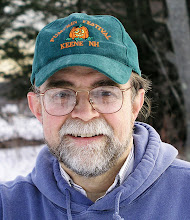
My photo
Spofford, New Hampshire, United States
Jeff Newcomer had been a physician practicing in New Hampshire and Vermont for over 30 years. Over that time, as a member of the Conservation Commission in his home of Chesterfield New Hampshire, he has used his photography to promote the protection and appreciation of the town's wild lands. In recent years he has been transitioning his focus from medicine to photography, writing and teaching. Jeff enjoys photographing throughout New England, but has concentrated on the Monadnock Region and southern Vermont and has had a long term artistic relationship with Mount Monadnock. He is a featured artist in a number of local galleries and his work is often seen in regional print, web publications and in business installations throughout the country. For years Jeff has published a calendar celebrating the beauty of The New England country-side in all seasons. All of the proceeds from his New England Reflections Calendar have gone to support the Pulmonary Rehabilitation Program at the Cheshire Medical Center. Jeff has a strong commitment to sharing his excitement about the special beauty of our region and publishes a blog about photography in New England.
Showing posts with label teaching. Show all posts

Sunday, April 10, 2016

Teaching Lightroom : Lessons Learned


Around the Table
 
This week I finally finished my Lightroom Course. I had planned for four 2 hour sessions, but the first time you run a course it is impossible to reliably predict how long it will take to cover all the material. I was fortunate to have a lovely group whose intense interest in mastering this remarkable tool led to lots of questions. I told them from the beginning that extend the course to five or more sessions if required and it turned out that five was barely enough.


From the beginning, this course was an experiment. I had previously offered my Introduction to Digital Photography Course, through Keene Community Education, at the High School. The classroom worked well, but it was not an especially comfortable

Perspective Control
setting for a bunch of mature learners. For one thing, the desks seemed sized for 3rd graders. I wanted a more relaxed and comfortably interactive setting for my Lightroom Course and I thought that inviting a small group to sit around my dining room table might be a good option. I planned for no more than 8 but, because of various forgotten commitments, I ended with 10. I strongly believe that learning about the functions of broadly cable image editing software such as Lightroom can be best ingrained by following along with the steps on your own computer and I encourage everyone to bring their own laptops to the sessions. Despite the distractions of personal computers and the promised delicious snacks, everyone seemed able to attend to the presentations. 

Pre-cooked HDR
When delivering lectures I typically use a PowerPoint presentation,but PowerPoint is often justly criticized for encouraging overly produced and didactic lectures, as presenters tend to read off the screen.  I try to use my slides as triggers for discussion, but PowerPoint does not work for a walk through the features of Lightroom. For this course I had to use the program itself as my prompt. The challenge was to find images that would work a s examples for each of the techniques. Many of the features could be demonstrated in real time, but some, such as the HDR Merge tool could take minutes to complete. For these I had to have a version of the results completed before the discussion.


Terrible Image


I don't mean to suggest that all of this was an arduous procedure. I love introducing people to the magic of Lightroom and join in their excitement over the discovery of unexpected features. I always stress the importance of getting the best images from the camera, but the most effective examples of the power of Lightroom often started as the worst pictures. I picked a horribly back-lit image of Abigail and Grayson from Gay Head on Martha's Vineyard and was able to demonstrate how highlights, shadows and color could all be salvaged from the RAW image. 


With Apologies to Photographic Purists.
But it Made the Point.

Pet Eye Correction
I intended to get through the entire program in four, two hour sessions, but I felt that the most important elements were in the Library and Develop modules and with all the questions a discussion these two parts, along with the Map Module, required the full four classes. I promised from the beginning that if needed I would extend the course and so I added a fifth session to cover the Book, Slide Show, Web and Printing modules. And then, with some sadness, I had to release my victims to go out and try to remember all that we covered.

From the feedback, I think that everyone enjoyed the course and came away with a better appreciation of the power and capabilities of Lightroom. Most importantly I believe understand what is possible and even if they don't remember the details of how to do something, they now know where to look. They learned how to organize their images, how to back them up and how they can get the most from every pixel. They also know my phone number for when they get completely flummoxed.

As always when I set out to teach something I ended up learning much more than I could teach:

Before I started preparing for the course I only truly understood those parts of Lightroom that were required for my own narrow

Local Adjustment Tools
needs. I did what I needed to do often without understanding why I was doing things in a particular way. I uploaded images, backed them up and did some global development, before running home to Photoshop to complete my edits. I now have a much better understanding of how Lightroom works to keep tract of images and how to use metadata and labeling to better organize my library and find the images that I need. I have developed a wider appreciation of the ability of the program to do both global and localized adjustments, often with tools that are easier to use but equally effective as those available in Photoshop. I still take most images to photoshop for final adjustments, detailed selections and compositing, but I now carry out 80-90% of my editing in Lightroom.

Before the class I had done a few slide shows from Lightroom, but now I have a better feel for this tool along with the Book and Web Modules. Since I typically move images to Photoshop I will continue to use the program for printing, but I now feel that Lightroom offers a reasonable alternative.

Lessons Learned
I am already getting questions about when. I will offer the Lightroom course again, and the questions is what have I learned from this class and what changes would I make?

Home Cooking 

 The first question is whether it worked to offer the course from around my dining room table. Running the class from home has some disadvantages. The class size was limited and it did require participants to slog all the way out to Spofford each evening. For Keene people Chesterfield might as well be in a different time zone! On the positive side, I liked the fact that a small class allowed a relaxed atmosphere in which questions could be welcomed. Ten was more than I originally expected, but we were able to get everyone at the table with room for their laptops. The drive didn't seem to be a major issue and not having to pay for a venue in town meant that I could keep the price down. Besides the home environment made it easy to provide delicious snacks.

Laptop Distractions

Basic Panel Adjustments
One participant wondered whether sitting in front of a laptop was too much of a distraction from the information presented on the screen. It is a reasonable concern, but from the beginning, I thought it would be helpful to allow students to experiment as we went along. Everyone learns differently and a few folks who didn't have a laptop available felt that they were able to bring what they learned back to their home desktops. I think it is good to have the choice and throughout the course I was frequently interrupted by people trying to find that button I mentioned or make the adjustment that I just demonstrated.

Working on the Same Stuff
In future classes I may give the students a disk with my working files. I encouraged everyone to try techniques on their own images, but it may be easier to work on the same files. Another student was disappointed that I didn't take time to critique examples of everyone's work. I have done this in by Introduction to Digital Photography Course, but it became obvious that the amount of material that I had to cover was so vast that I didn't have the time to review everyone's work. It might be helpful to schedule a separate critique session a few weeks after the course ends, to evaluate how everyone is doing and answer the inevitable questions.

Mount Washington Hotel Panorama

Time

 As I prepared my course, I had no idea how much time would be needed to cover the essentials of such a vastly capable program as Lightroom. As I mentioned, I initially scheduled four sessions to last two hours each, but prior to the course, I alternately jumped from fear that I had too little, or too much, material to fill the allotted eight hours. I shouldn't have been surprised that I ended up adding a fifth class to try get everything covered. In the future I'll know to schedule at least five sessions.


The one thing that I did not find surprising was how much fun it was to spend evenings sharing my excitement for a topic that was of such intense interest to this group of enthusiastic and engaged students.  I can't imagine a nicer group, but I'm sure I will give it another try some time soon


Jeffrey Newcomer
Partridgebrookreflections.com


Sunday, December 13, 2015

Teaching Lightroom


Watch One, Do One, Teach One
It is a frequently sited axiom of medical education. You watch someone start an IV, and then you do it yourself, but you never truly understand the process until you are required to teach someone else. Scary? The rule may engender terror among patients in teaching hospitals, but the basic idea is sound. The best way to fully understand anything is to force yourself to teach it to someone else, and this is true for any subject, including photography.

Blogging, Why?
I began writing my photography blog in January of 2009 and in the subsequent seven years I have published over 280 articles covering

Lightroom Develop Module
a broad range of topics related to digital photography, image processing and capturing the special magic of the New England landscape. Writing a weekly blog requires a great deal of time and effort and It shouldn't be surprising that I often wonder why I keep at it. I started blogging for many reasons, but my most important excuse for continuing my weekly chore is that it is my primary path to expanding my understanding of the art and craft of digital photography. The process of researching and writing an article can open up many new subjects that I may have only vaguely understood, but it is also amazing how much I learn just by being forced to explain things that I having been doing automatically for years.

The Joy of Teaching
I have always enjoyed teaching. In medicine that involved sharing my knowledge with patients, students and colleagues. For years I

Basics of Digital Photography
have also shared my photographic experience through presentations to photography clubs and community groups and, as is true for my blog, preparing those talks has resulted in a remarkable increase in my own understanding. This autumn I responded to multiple requests and offered a more formal class on basic digital photography. I gave the course through the Keene Continuing Education program. Assembling the content for a comprehensive introductory class was time consuming, challenging and quite scary. My usual talks last 60 minutes or less but for the course I had to prepare material for four, two hour sessions. Eight hours of me talking, no wonder I was scared. 


Class Shoot, Ashuelot River Park


To Many PowerPoint Slides?
Linking Aperture and Shutter Speed
I ended up with over 280 slides, but also broke up the sessions with questions and critiques of my student's work. Topics included camera types, file handling and backup, also longer discussions covering the factors contributing to proper exposure and composition. I also reviewed approaches to a variety of typicalphotographic situations. Surprisingly the evaluations suggested that my victims enjoyed the class and felt it was valuable. Some even said that they enjoyed the PowerPoint slides, almost impossible! I enjoyed working with this group of eager learners and, as always, I

In the Weeds
learned more than I taught. I limited the class to ten and was fortunate to have very engage and motivated students with a wide range of experience. In addition to the 8 hours of classroom time, I joined the group on two field trips which provided the material for productive critiques of their work. The feedback on the course seemed quite positive and there is a significant list of folks on the waiting list for a future class. I have agreed to run the course again in the spring. It will be easier now that I have my PowerPoint slides "in the can", but I would like to expand my teaching to other topics.


With time restrictions, I intentionally limited my basics course to the image capturing side of photography, covering topics that would largely apply equally to film as well as digital photography. In the process I discussed how digital capture differs from film, anticipating, but not exploring, the capabilities of the digital darkroom, but many of my students wanted to learn more. Essentially all had access to editing software including Lightroom, Photoshop and Photoshop Elements and although understanding the basics of image capture is critical, I decided to dive into post-processing for my next course.

Lightroom

Lightroom Image Management
I have used Photoshop for years but was forced into Lightroom mostly because of an increasing need for a powerful image management program to get a handle on my expanding image library. My library is currently over 400,000 images and, without a database, a brut search for an image with Photoshop's Bridge could take hours. I purchased a stand-alone copy of Lightroom, but quickly switched to Adobe's photography
Up To the Barn, Chesterfield, NH
package when Photoshop was drawn into the Creative Cloud. I
initially adopted Lightroom solely as a database and this greatly simplified my image management, but I became impressed with the broad power of recent revisions of the program, especially in the Develop Module. Although I still bring my images into Photoshop for fine tuning, the majority of my global image editing and some local adjustment now occurs in Lightroom. I also value the other main modules of the program especially the Map and Slide Show capabilities. I've become comfortable with features of Lightroom that are most important for my workflow, but There is still a lot to learn. My plan is to do what I often do when I don't know enough about a important topic, I will teach it. 


Lightroom Map Module


Teach It 

 I plan to offer a course on Introductory Lightroom for Photographers. With my basic digital photography course in the spring, I will try to get the Lightroom course together for the mid to late winter. To allow for close feedback I will keep this class small, probably just as many people as I can fit around my dining room table. I will likely schedule informal evening sessions on a weekly basis for 5-6 weeks. The course format will necessarily be different from my digital basics

Glade Wall, Chesterfield, NH
course. Instead of a Power Point presentation I will be walking through the features of Lightroom in real time. I strongly believe that an understanding of such a complicated program can only to achieved through practice and I will encourage participants to follow along with Lightroom installed on their own laptops. Although Lightroom is still available as a stand-alone product, the Adobe Creative Cloud Photography plan makes acquiring the latest versions of Lightroom and Photoshop very affordable.


Lightroom Graduated Filter
Both Lightroom and Photoshop have an aura of high complexity that can be intimidating for new users, but the most important thing to realize is that you don't need to understand all the features of these programs to make a remarkable difference in your images. I have a good functional understanding of the capabilities of these programs, but there is always more to learn. It remains exciting to discover new features as I try to improve my own image processing. My hope is to provide a level of understanding of the essential features of Lightroom to break through the intimidation and allow us all to learn more about this remarkable tool for better photography. 


I've SEEN it and done SOME of it
and now it's time to TEACH it. 

If you are interested in getting on the list for my Lightroom for Photographers course email me or give me a call. I promise snacks!

jeffn49@myfairpoint.net
603-363-8338


Jeffrey Newcomer