About Me

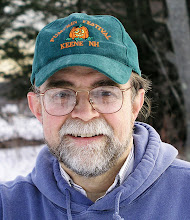
My photo
Spofford, New Hampshire, United States
Jeff Newcomer had been a physician practicing in New Hampshire and Vermont for over 30 years. Over that time, as a member of the Conservation Commission in his home of Chesterfield New Hampshire, he has used his photography to promote the protection and appreciation of the town's wild lands. In recent years he has been transitioning his focus from medicine to photography, writing and teaching. Jeff enjoys photographing throughout New England, but has concentrated on the Monadnock Region and southern Vermont and has had a long term artistic relationship with Mount Monadnock. He is a featured artist in a number of local galleries and his work is often seen in regional print, web publications and in business installations throughout the country. For years Jeff has published a calendar celebrating the beauty of The New England country-side in all seasons. All of the proceeds from his New England Reflections Calendar have gone to support the Pulmonary Rehabilitation Program at the Cheshire Medical Center. Jeff has a strong commitment to sharing his excitement about the special beauty of our region and publishes a blog about photography in New England.
Showing posts with label RAW. Show all posts

Sunday, June 7, 2015

The Photoshop Challenge


The more I show my work in galleries and on-line, the more I recognize a set of routine comments and questions. There are the welcomed reactions; "Beautiful work", "I love your work", but these satisfying comments are often paired with the less straight foreword, "Looks like a painting".  I'm no longer annoyed by the "painting" comment. I simply choose to interpret the sentiment as meaning that my photograph doesn't look like the standard film photograph with all its limitations of color, focus and dynamic range.

Then there are the two most common questions. The first "What camera did you use?" makes me want to bludgeon the questioner with the
The Right Moment
"camera I used", but instead I try to patiently explain that the success of the image had much more to do with being in the right spot at the right time and planning the shot to give me the best image for the editing process. That answer doesn't always satisfy, but it often leads to the second, and more problematic question,
"Did you use Photoshop on that?"
and its corollary,
"Did it really look like?".


Storm Over Portland Head Light


The Photoshop Stigma


The world has become thoroughly familiar with the power of image editing programs, such as Photoshop, to alter reality.   Everyone has seen the atrocious examples of flawless models with legs twice as long as anatomically possible, and breasts which are incompatible with an upright posture. It is not surprising that our audience would wonder how well our images actually reflect the natural experience. Of course, Lightroom now enters into this discussion, but it is Photoshop which by far carries the greatest stigma.  As someone who invariably incorporates Photoshop into my artistic process, I have struggled with the appropriate answer to this pointed challenge and I have come to appreciate that the answer must vary depending on how editing contributes to our own images and how much the critic really wants to hear.


Old Faithful Dawn


Although I can't say that I've found the perfect response, my own explanations have evolved, and hopefully matured, over time.

Oops You Caught Me

An early reaction to this question stemmed for a embarrassed sense of insecurity and guilt. "Well yes, but only a little.", followed by an apologetic listing of every wire that was removed and every tweaked shadow or highlight. Partially, the goal was to overwhelm with enough minute detail to make the questioner wander away from shear boredom.  But I think I was also trying to convince myself that I wasn't cheating Mother Nature. The whole process became exhausting, leading to the natural over-reaction.

Damn Right I Used Photoshop,
What Are You Going to Do About It!

Probably not the best retort, but it does tend to end the discussion more quickly.


Question; "Did that sunset really look like that?".

 
Answer; "I can't precisely remember what it really looked like, maybe I should have taken a picture? Wait a minute, I DID! and here it is! You moron!!"


Ok, as much as I would have enjoyed it, I never actually said that. Although infinitely more satisfying, the aggressive responses are no less a sign of insecurity and don't accomplish anything to explain the nuanced decisions that go into editing choices in digital photography. So take a deep breath.
Let's start again.


-----------------------------------------------------------------------------------------------

Did You Use Photoshop on That?


Yes


 Not "Yes, But", but, without hesitation, "Yes absolutely". "And here's why my images deserve everything I can do to make them the best they can be".

Start by estimating how much your questioner is likely to want to hear. I can go on for hours about the ability of Photoshop to bring out the best in an image, but a long involved dissertation is usually not the most effective approach. Based on the interest of the listener, the best response can be some combination of a number of different tracts of reasoning, and they range from the quick and coldly practical to the prolonged, warm and artsy.


The Practical

Shooting in the RAW

 
It's often my first response. "I always shoot in RAW, so I must use an editing program like Photoshop".  RAW images embody the most complete and accurate reflection of the natural scene (The purist critics love to hear that kind of stuff) .  RAW images contain the most information and provide the greatest flexibility during editing, but basic RAW images come from the camera appearing unnaturally flat, and dull. They must be edited to bring out their natural fidelity and so, of course, I must use Photoshop on every image. Quick and Simple, and although it doesn't remotely do justice to the process, sometimes that is all you need say.


Seeing Nature


Seeing What the Eye Sees

Here is where things get a good deal more complicated and lengthy. Compared to film, digital photography provides the opportunity to capture a scene in a way which is much closer to how our eyes actually see it. We can; expand the dynamic range, preserving detail from brilliant highlights to the deepest shadows; achieve tack-sharp focus from foreground to distant background; and keep color balance true to the subject despite the contaminating effect of varying illumination. The capabilities are amazing, especially to someone who shot film for years, but none of this magic is possible without editing software such as Photoshop. Although any editing can be taken too far, at its best, Photoshop is the key to capturing the world as we actually see it. When those unfamiliar with the "magic" look at one of these images and say, "It doesn't look like a photograph", I believe what they are really saying is "It doesn't look like what I expect from a standard film photograph", with all its innate limitations and its inability to see as we see".
And to that I say, "Absolutely !"


Seeing Beyond What We Can See

Chesterfield Gorge - Infrared


Photoshop is not solely about a slavish duplication of our natural vision. Digital photography and editing software are also about extending our vision to places we can only imagine.


Dublin Lake


I wrote a previous article about the ability
digital photography to extend our visual perception. This includes seeing into the infrared spectrum, capturing motion in time laps video and gazing deeply into the far reaches of our galaxy. And yes, Photoshop is the window to many of these remarkable, but otherwise unseen worlds.


Pemaquid Light - HDR - Don't be Afraid, Its Only Art


It's All Art


The most satisfying compliment that I can receive about my photography comes when someone says,"Your pictures make me feel that I am standing right there in the scene". For me that is the magic and the art of photography, the ability to transport. There is no approach to image recording that can produce a completely accurate representation of the "real" world. Whether it is captured with colored paint, microscopic flecks of silver or tiny pixels, all methods of recording the world can only be imperfect approximations governed as much by the strength and limitations of the medium as by the actual experience. The art comes from the mastery of the particular medium in an attempt to capture the feel as well as the look of the scene.


Sunset in the Field
When I stand in a field, marveling at the remarkable beauty of a distant mountain, I know that I can't capture the aroma of the freshly cut grass or the gentle brushing of the cool breeze on my arms, but I can try to use the visual elements to reflect a small part of the complete experience. Photoshop is the brush I apply to my digital canvas to speak of what I felt, as well as what I saw. I could merely regurgitate the scene unedited, but, to me, that would seem false and would not do justice to the layers of beauty that bring me back again and again.


Lupine Sunrise

To me, someone who looks at any image and asks, "Is that what it really looked like" is fundamentally missing the point. If they want to know what
it "actually looked like", they should get out of bed at four in the morning to actually see and feel the sunrise for themselves. The test of any artistic rendering of reality extends far beyond the mere fact of the image, and how it was created, to how the work makes you feel. That deeper sense of the art comes only when questions about the kind of brush used or the way the pixels where brought to life are set aside. When the viewer can be transported, to stand next to the artist in the field and smell the freshly cut grass.
Rye Beach Rainbow


Whew! That was undoubtedly the most intense collection of artsy gobbly-gook I have ever produced, but  don't blame me, the question was asked. I would love to hear how you respond to the Photoshop Challenge. Hopefully after all the talk of RAW images, the nature of seeing and the art of reality, the poor victim's eye will have glazed over and he will just buy the damn painting.


Oops,  I mean photograph!


Jeffrey Newcomer
Partridgebrookreflections.com

Sunday, May 10, 2015

Digital File Types


The Basics from Your Digital Camera


Digital photography has reached a remarkable level of beauty and sophistication. The output from today's digital cameras are capable of reproducing an amazing range of color, subtleties of tone and detail. This is even more remarkable given the fact that, at their essence these images are nothing more than collections of million of sterile little zeros and ones. This week I want to briefly discuss how those digits are stored in image files and how the choice of the file type can affect the results of the final image.

The Basic Choice, Lossless vs Lossy
 
There is a long list of image file types that are available, but only a few which are routinely used to record images within todays digital cameras. Most commonly these include JPEGs (.jpg), TIFFs (.tif) and various versions of RAW files. The choice of file type centers around two factors, image quality and file size and as is true for almost all of photography, the decision involves compromise. The highest quality image files (TIFF and RAW) record the photographic data with what is referred to as "Lossless"
algorithms that retain all of the information from the sensor. The resulting images are of higher quality, with optimal tonal range and less noise and they are less subject degradation during editing or copying. The only disadvantages of lossless images are their requirement for editing to reach their full potential and their substantial size. TIFFs and RAW images fill memory cards quicker and take longer to save. The longer save times becomes a significant issue when capturing bursts of images such as when shooting wildlife or sporting events.
JPEG Have Trouble with High Contrast Situations

The opposite of "lossless" are those file types that achieve smaller files by compressing and discarding the data. These are somewhat

JPEGs struggle to Salvage Detail in Shaddows
comically referred to as "lossy". Within digital cameras, JPGs are the primary example of this compressed format. JPEG algorithms reduce file size by throwing out data and reducing the tonal depth. Depending on the level of compression, the results are files which are much smaller, allowing quicker recording of bursts of images and room for more pictured on the memory cards, but there is a significant price to pay for the compression. JPEGs and other Lossy file types have poorer tonal range with higher noise and artifact. They stand up much less well to aggressive editing or repeated copying. Depending on the image's intended usage, this loss of quality may not be important, but, as we will see, it is important to understand how the choice of original file type affects your ability to reach your photographic goal.

Those are the basics, now let's look at the individual file types.

Lossless Files

Doing It in the RAW

Capt. Zerubbabel's Rest
Many, but not all digital cameras have the capability of recording images in "RAW" format. RAW files record the "naked" data from the sensor without any loss of tonal depth or color information. They are totally unedited within the camera, although the image that you see on the LCD screen is actually a JPEG rendered within the camera to allow for quicker display and a better sense of how the final image might look. RAW images are like film negatives. They contain the maximum amount of information from the sensor, providing the greatest capability to undergo editing and adjustments of brightness and color balance. RAW files are substantially larger than compressed formats, but given the inexpensiveness of memory and the greater processing speed of modern cameras, this is not a major disadvantage.

Capt Zerubbabel Snow returned to Chesterfield after fighting in the Revolutionary War
He died in 1795 and lies next to his father, John Snow, in the West Burying Grounds.
"Winter is Coming !"

 Perhaps the RAW file's greatest disadvantage comes as a consequence of its greatest advantage. The down side of the format's ability to be manipulated is that RAW files must be edited to reveal their true beauty. Unedited "raw" RAW files appear flat with low contrast and washed out colors. All the glorious potential is there but it must be brought forth in post-processing. For me this is he most exciting part of working with RAW files. It is akin to the darkroom magic of watching prints slowly appear from the developer bath, but if you want to snap the picture and be done, then RAW is not for you. All I can say is that if the quality of your images is important to you, then learning to work with RAW images is unarguably worth the effort.


Whose RAW is It Anyway?
There is no single RAW format. Each camera manufacturer has their own proprietary format and provides the software required to

edit it. Lightroom, Photoshop and many other photo editing programs can read
Spring Sentinel, Keene, NH
most of these formats, but every time Canon or Nikon comes up with a new camera or wrinkle in their format, the software companies have to scurry to catch up. The persistent question is, if a camera company disappears or looses interest, will support for their RAW files vanish as well. For this reason Adobe has created their own open source RAW format called Digital Negative ".dng". My standard workflow involves archiving the proprietary RAW files in a separate directory and then converting the files to DNGs that I use as my working images. It may sound complicated, but, happily, Lightroom can do it all automatically as I upload the files from my memory card.

TIFF

Tiff files might be more appropriately discussed among the various "output" file types, used to store and transmit images after processing, but some cameras have the option of recording images
Persistent Maple
in this format. TIFF (Tagged Image File Format) files are often used to store images since the image files are Lossless. Like RAW files, they retain all the information on brightness, contrast, color balance and saturation, but unlike proprietary RAW formats, TIFFs are universally accessible to essentially all editing software. TIFFs come in 8 and 16 bit versions with the same quality advantages in the 16 bit files. When used to save files edited in Photoshop, TIFF files have the ability to retain most of the layers created by that program, but this capability comes with a cost in file size. TIFFs can be gigantic, but this is less of an issue when the file is coming unedited directly from the camera. For me TIFFs are primarily useful when I want to send an easily readable, full resolution, edited image to a friend or client. When I want to record losslessly in the camera, I stick to RAW.

Lossy Files

 
JPG
JPG stands for Joint Photographic Expert Group and is the most

Central Square Gazebo, Keene, NH

common file type, found in essentially every digital camera. Again it uses a lossy algorithm to record image data into compressed files. JPEGs undergo processing within the camera including "Baking in" the color balance based on the camera settings. The resultant images can often look better than unprocessed RAW images, but this preprocessing limits the ability to make adjustments during editing in Lightroom or Photoshop. The level of compression of the JPG file can be adjusted, but in all cases the resulting images are reduced in tonal depth, usually from the RAW 12-16 bits to only 8. 8 bit images have only 256 tonal gradations for Red, Green and Blue as compared to more than 64,000 with 16 bit images. This difference may not be apparent in small images
RAW or JPEG, Makes Little Difference on the Web
designed for sharing on the internet, but it becomes strongly evident when they are manipulated in Photoshop or other programs, resulting in loss of detail, color banding and restriction of the ability to enlarge the image. Despite the loss of quality, JPEG is a popular format because the images come out of the camera requiring little if any processing to get an acceptable picture and because the image files are much smaller making them easier to store and to share.
The Quality Shows with Bigger Images


Size Matters
A full resolution, 21 megapixel RAW file coming from my Canon 5D Mark II is 25.8 megs in size compared to only 6.1 megs for a 21
megapixel maximal resolution JPEG. This means that more than four times as many JPEGs than RAW files can be stored on any memory card. It also means that, with the JPEG files, I can shoot a burst of 78 images before the camera will be forced to pause in order to buffer the data. In RAW I am limited to only 13 images in a burst. The choice of higher levels of JPEG compression has further impact on both the file size and image quality. At the highest degree of compression the file size drops to one megapixel, but, at a resolution of only one meg, image quality severely suffers.

Dancing Lady.  When trying to anticipate the action, JPEGs allow longer bursts of images.
For only the second time in years of shooting Stonewall Farm's "Dancing of the Ladies",
I caught a lady in full kick.
   

The Choice

It really comes down to what you want to do with the image after it leaves the camera. Modern digital cameras are remarkably sophisticated and, in unchallenging situations, do an excellent job
Many cameras can record image in two formats
recording images in JPEG. If your only goal is to grab that picture of the ham sandwich you had for lunch, and transmit it as quickly as you can, to as many people on the internet as possible, then JPEG is the way to go. If your goal is to go beyond the mere FACT of the image, and explore the remarkable quality and capabilities of modern digital photography, then RAW is the ONLY choice. And, when the situation arises, during post-processing, you can always compress that delicious RAW ham sandwich into the tiny JPEG that it truly deserves.

Jeff Newcomer
partridgebrookreflections.com

Sunday, January 4, 2015

White Balance, The Basics of Digital Photography


Taking the Light's Temperature
 
Photography always comes back to the light and the color of the light that illuminates our subjects exerts a profound effect on the resulting image. Visible light can vary from the orange of candle flame to the deep blue of the evening sky, but he human eye has a remarkable ability to compensate for this wide spectrum. We can recognize a white card as being white through a broad color range, but our digital cameras lack our cognitive abilities to interpret visual input. Without correction, a white object captured in the yellow light of an incandescent bulb will be recorded with a yellow tint and the blue sky, illuminating someone in the shade of a building will change the face to a cold sickly blue. Digital cameras offer auto white balance settings (AWB) , using various algorithms to compensate for changes in the color of light, but, as is true of most automatic settings, the adjustments often don't produce the best results. This is one of those situations where the computer in your brain can work better that your camera's microprocessor, so its time to get to work.

Your Light Has a Temperature


Specturm of Light
http://www.exposureguide.com/white-balance.htm
Most digital cameras have white balance settings to adjust for a number of the common colors of illumination. These may work better than the Camera's auto white balance, but the balance is fixed and won't change with changing light. Fortunately a glance at the camera's LCD screen can provide quick feedback about the effect of any selection. The common presets include:


Sunlight:
Unfiltered sunlight contains the full spectrum of visible light and as a result tends to produce the most accurate white and color reproduction. This is a good setting when shooting outside in full sunlight, but who actually does that?

Cloudy and Shade:
In both of these situations the light tends to be cooler, as the full

Abigail in Full Shade
spectrum is filtered through blue clouds or comes into shaded areas from the even bluer sky. Cloudy and Shade settings compensate by warming the image. The Cloudy setting provides enough warming to balance the cooling effect that occurs when sunlight is scattered and filtered through the overcast. The Shade setting provides a warmer adjustment for times when the subject is illuminated by the more intense bright blue dome of the sky. It is important to be aware that, when shooting in the shade, areas outside of your main subject that are in the bright sunlight may take on an unnatural orange tint.

Tungsten:
Indoor illumination from Tungsten light bulbs has a strong yellow

Tungsten Color Balance
hue and the Tungsten setting is used to cool down the digital image by adding blue. A good way to appreciate this effect is to shoot outside in sunlight with the Tungsten WB setting. This will reinforce the importance of readjusting the white balance when you going from inside to outdoors. Last
Kissing Bridge Tungsten WB
week I used the tungsten setting while shooting inside the Vermont Country Store. When I ventured outside, I forgot to readjust the WB and the first couple images of the "Kissing Bridge" had an intensely blue tint. This blue shift is also seen when windows to the outside are included in my indoor photography. Situations like this, when there is a mosaic of different colored light, can be challenging and is where local adjustments of color balance in Photoshop can be a life-saver.


Fluorescent:
Fluorescent lighting has a blue/green shade which is warmed using the Fluorescent setting. The color of fluorescent can vary a good deal and it can take experimentation to find the best WB setting.


Flash WB

Flash:
The light from most flash units tends to most closely approximate sunlight, but can be a bit cool. The flash setting usually tends to slightly warm the image.


Custom White Balance:
The fixed white balance adjustments can provide a good approximation of the correct setting for specific lighting, but they are often imperfect. Some cameras allow fine tuning of the color compensation, but the use of Custom White Balance can be the easiest way to nail the precise adjustment. This option is available on many digital cameras.

Incandescent Light
and Tungsten White Balance

Custom White Balance starts with taking a picture of a white or neutral gray card in the same light that is falling on your subject. These cards are available on-line or at your local camera store (remember those?). A clean white piece of paper or anything else which is pure white can serve. I have a card with white on one side and gray on the other. The details vary, but on my Canon 5D II, I display the picture of my white card,
Custom White Balance
which has been exposed in the correct light and positioned in the center of the frame. Then I select "Custom White Balance" from
my camera's menu. I tell the camera to use the current image as the basis for custom white balance and then, any time I select "Custom" for the white balance option, the white balance will return to this setting. Custom white balance is helpful whenever precise control of color is necessary, such as in product photography. Your client will not appreciate getting the color wrong on the Campbell Soup can. 


Shoot RAW! 
All of this fuss about white balance is especially important if you are shooting in JPEG rather than RAW. Need I say that this is just one more reason that you should shoot in RAW? In-camera white balance settings are of little importance when shooting RAW since all of the color information is preserved in the RAW image. Regardless of the original setting, the white balance can be adjusted in post-processing without any loss of quality. Unfortunately, when shooting in JPEG, white balance is baked into the image file with the loss of a significant amount of color data.


 To demonstrate this, I intentionally shot Chesterfield's historic town hall with the white balance incorrectly set to tungsten. I captured the image in both RAW and in the highest quality JPEG and then tried to salvage the images to accurately reflect the overcast lighting. There was no problem readjusting the RAW color balance, but, despite doing everything I could in Lightroom and Photoshop the JPEG image's color remained disappointingly flat and dull. 


As can be seen, post-processing color balance adjustments on JPEG files are difficult and result in a poor quality image. If for some totally unfathomable reason you are still shooting in JPEG, there are two things to remember.
  • First, don't.   
  • Secondly, if you do, careful adjustment of white balance in the camera is essential. You really won't get a second chance.

So, when shooting RAW is there any reason to set a specific white balance? I generally keep my camera on Auto White Balance. In
most situations this works well as a starting point and then I almost always tweak the color in post. In a few situations such as portraiture or product photography strict color accuracy is important, but for most of my work, precise color matching is not necessary or even desirable. When I am shooting in the golden evening light the last thing I want is for whites to appear pure white. If I used custom white balance from a white card, I would loose all the warmth of the scene. Occasionally I will use the cloudy or shade settings to more accurately reflect the warmth of the "Golden Hours", although when shooting in RAW I can make the same adjustment in post. In post processing I am looking for the colors that best reflect the appearance and feel of the moment. 


A Fixed White Balance

There are occasional instances when setting a specific fixed white balance can be helpful. Last week I had a great time shooting in the
Country Store Light
Vermont Country Store. The lighting came uniformly from incandescent bulbs and, by setting the camera to Tungsten White Balance, all of the images had a consistent white balance adjustment. The color wasn't precisely what I wanted, it was still a bit yellow for my taste, but, because all of the images started with the same color balance, I was able to batch all of the images together and make a single adjust which worked pretty well for all of them. Because in AWB the white balance changes from image to image, a single adjustment would not have worked as well for all of the images. Shooting in Tungsten WB ended up saving time that would have been spent performing subtle tweaks to many of the images.


Of course Photoshop and Lightroom have powerful tools to adjust

Cloudy WB
white balance in the digital darkroom, but that should be a topic for a future blog. For now it is important to understand how the camera sees color balance differently from our remarkable eyes and how color balance settings help to compensate for this difference. This is the time to settle back with your manual (if you can find it) and learn about how your camera adjusts white balance. Keep your eye on that LCD screen and experiment your brains out. Getting color balance right is especially important when shooting JPEG, but whether recording JPEG or RAW files it all comes down to Getting Color Balance Right in the Digital Camera.

Jeff Newcomer
Partridgebrookreflections.com


Sunday, June 29, 2014

My Carry Around Camera


I have a new "Carry Around" camera and, so far I'm having fun.

Let's face it, we are photographers which means we love gear. I know that there are those out there that preach a minimalist approach to the sport, but given the opportunity and an overpowered four wheel drive vehicle to carry the gear most of us would load up on heavy stuff that we will seldom use. My approach to gear has generally been that the transient annoyance and pain of lugging around a heavy kit is generally over balanced by the years of satisfaction which comes from getting the most out of any photographic opportunity. Just so long as the tonnage doesn't limit my mobility.


While recognizing the value of having my full kit, there are situations where a light and unobtrusive “carry around” camera is nice to have on hand. A small camera is great, for street
Depth of Focus
photography where a massive "professional" device will draw immediate attention. I may be paranoid, but I have also used a small camera in situations where I fear that a big expensive DSLR might be a temptation for pick pockets and muggers. Sorry Equador, but I wasn't going to take my 5D out to capture the street fair at night in Quito. To be fair to South America, I also used my carry around to capture the monuments at night in Washington, DC. Perhaps the most important reason to have a capable small camera is to have it with you wherever you go. The classic rule is, " Your best camera is the one you have with you" and I try not to make that camera my iPhone. My brief case always has a small camera tucked inside for
those unexpected opportunities that seem to pop up on my way to or from work. Whether i'm out to diner with friends or just taking Nellie for a quick "pooper", if I don't expect to capture an 12x18" fine art image, the little camera works just fine.


 For several years my carry around has been a Canon G11. It is a powerful little
Early 1200 mm trial, West River Dragon
camera with full controls and the capability to shoot in RAW, but I never fell in love with the G11. I recently got a Canon SX50 and, although it isn't perfect, photography is always about trade-offs, so far, I think that, if not in love, I am ready at least for a more committed relationship. I have received a lot of questions about how the camera is performing, so I thought I would offer my early impression and show some examples of the images I have been able to capture. I have never done formal product reviews and this is intended as a summary of early and incomplete impressions, with much more exploration ahead.


The Carry-Around Criteria
I should start with a short list of the features I look for in a small carry around. There is no camera out there that meets all these perfectly but it is a good to have some criteria to apply to the search.

Size: The Ideal here is to be able to comfortably slide the camera into your pants pocket. There is some amazingly small camera out there, but invariably the tiny size comes with performance trade-offs including sensor size, zoom range, and controls. I have generally settled for a camera that slips into a brief case or fanny pack, rather than in my pants pocket.

Zoom: 
The zoom ranges is especially important with fixed lens
1200 mm, Spofford Lake
cameras. One of the reasons for my lack of strong affection for my G11 is that the zoom is only 5x (24-140mm). The longer the OPTICAL zoom the better, and beware of references to the “Digital” zoom. All this is doing is cropping the image and you can do that better in post. And of course, with longer zooms, image stabilization becomes increasingly important for sharp images.

 
RAW Capability
After I started shooting RAW, I would never want to go back the baked-in restrictions of 8 bit jpg images.

Range of Controls: 
 I want to have full control of the cameras functions including Shutter and aperture preferred, and manual control. ISO, exposure compensation, white balance and focus control are also desirable.

Ease of Control: The more I can stay away from menus the better. With practice the journey through menus on the LCD can become manageable, but I look for as many adjustments on dials and buttons on the camera as possible.

Video:
High definition on many of these little cameras is amazing, but quality sound is generally still a major issue. The old saying is true: “A great movie with crappy sound is still a crappy movie”.

Other Features:
Cable release input, hot shoe to supplement the usually rudimentary built in flash, Tilt/swivel LCD Screen (I don’t get down on the ground as easily as in the past)


Susan has Turned Returning Her Birthday Presents
into an Art Form

A couple of weeks ago I got a new carry-around camera. I started by getting Susan a small camera that would fit easily in her purse, but would have decent focal length range. We are heading to Alaska in August and, if in no other place, I thought Susan might be induced to take a picture of a Grizzly, safely at the end of a very long lens.  I ended up with the Canon SX 500. It was nicely compact and had a 30x zoom. Unfortunately  it couldn't shoot RAW, but I thought it was a nice compromise for her to have easily at hand. Happily, Susan rejected her birthday present insisting that, “You’re the photographer. Why do I need a camera”. It is usually jewelry that she rejects, but this time, a camera. Ok. Great! I went out and got the camera I wanted, but hopefully one that she might still be able to use from time to time and perhaps in Alaska.


SX50 HS
Canon SX50 HS
After some further research, I ended up with the Canon 50 HS. The camera is a little bigger, but still quit compact and incredibly light. It is a pleasure to carry it around in a small fanny pack. There are a number of excellent reviews of the camera's strengths and weaknesses and I will only mention a few of the features that I have found interesting.


Zoom!
The obvious, stand-out feature of the SX50 is its 50X zoom. This thing goes from 24mm to 1200mm!, making its lack of
1200mm and Cropped
interchangeable lens' largely mute. I have included a number of my images at the full 1200mm length and in general I have been impressed. At this length a tripod would be recommended to get maximal sharpness, but, so far, the results from my image stabilized, hand held pictures have been surprisingly good. It is helpful to have good light and a high ISO to allow for faster shutter speeds. Of course high ISO's can be an issue for noise. The SX50 has a small sensor, about 30% smaller than the G11, and at ISO's greater that 400-800 , noise can be more of an issue, but I haven't seen much of a difference from the G11. This can't compete with my full frame camera, but so far I have been able to get good results with appropriate levels of noise reduction.
24 mm
1200 mm Uncropped


RAW of Course
The second, must have feature, is that the camera shoots in RAW. Nuf said.


Macro Although the extreme zoom is the stand-out feature of this little camera, I have been espcially impressed with its macro performance. I am experienced with the extremely thin depth of focus from my full size sensor and, although the SX 50 can't match the beautiful bokeh of my 5d Mark II, its tiny sensor can often pull much more of the subject into sharp focus. I can use a single image to capture flowers in sharp focus that would require three or four stacked images from my full frame camera.


Controls
The SX 50 has the full range of controls, and those not on the camera body, are accessible though a reasonably simple menu system. I have learned my own lesson and after a short time actually reading the manual, and photographing my feet, I think I have most of the routine controls figured out. It helps that the control scheme is similar to that on my G11.


Bracketing
The camera has the capability to shoot 3 images, applying exposure or focus bracketing. I'm still figuring out how to adjust the range of exposure or focus, but, a few days ago, I did get a reasonable exposure bracket to use in an HDR image of sunset across Huber Farm. The results were not as smooth as my, tripod stabilized, 7 image DSLR version, but still not bad for a hand held three image bracket.

Hubner Sunset, 3 Image Bracket


Gripes
Of course I have a few gripes about the camera. At f3.5, The lens is
Indian Pond Frog Hunting, Chesterfield, NH
slower than I would like. The manual focus procedure is awkward. A focus ring on the lens would be a great improvement. The electronic viewfinder has poor resolution, but is still helpful when bright light makes the LCD difficult to see. I have noticed that the camera has a tendency to blow out highlights in bright light. There is a dynamic range function that is designed to mute this effect, but I'm still trying to figure out how to make it work. Of course resolution and noise does not compete with the results from my Full frame. The images here look pretty good, but remember these picture are small and can't fairly show the results seen in the full images. I look forward to seeing how far I can go in printing large versions of some of these images.
West River Sunset, Brattleboro, Vermont

There are many more pros and cons I could mention. I haven't even begun to explore the High Definition video capabilities of the camera, but I must remember that the purpose of this article was to respond to requests to see images from my new Carry Around. I can say that the SX50 HS is not a perfect camera. Like all small cameras it encompasses compromises in size, function and image quality, but so far I have been satisfied with the results. I can say I have been having fun shooting with this little camera that has such a big reach and, to me, that is the most important thing. I think I have found a new Carry Around.


Jeffrey Newcomer
Partridgebrookreflections.com