About Me

My photo
Spofford, New Hampshire, United States
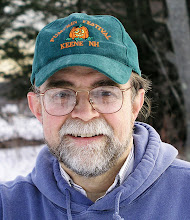
Jeff Newcomer had been a physician practicing in New Hampshire and Vermont for over 30 years. Over that time, as a member of the Conservation Commission in his home of Chesterfield New Hampshire, he has used his photography to promote the protection and appreciation of the town's wild lands. In recent years he has been transitioning his focus from medicine to photography, writing and teaching. Jeff enjoys photographing throughout New England, but has concentrated on the Monadnock Region and southern Vermont and has had a long term artistic relationship with Mount Monadnock. He is a featured artist in a number of local galleries and his work is often seen in regional print, web publications and in business installations throughout the country. For years Jeff has published a calendar celebrating the beauty of The New England country-side in all seasons. All of the proceeds from his New England Reflections Calendar have gone to support the Pulmonary Rehabilitation Program at the Cheshire Medical Center. Jeff has a strong commitment to sharing his excitement about the special beauty of our region and publishes a blog about photography in New England.
Showing posts with label drobo. Show all posts

Sunday, August 30, 2015

Dead Tree Photo Archiving


If you're feeling safe, I have a cure for that


Hard Drive Maze
 We Digital photographers are often proud of our elaborate back-up schemes. It is usually some combination of multiple hard drives, on and off-site storage, and ethereal cloud-based repositories. My current approach includes a maze of external hard drives, including two, nearly saturated Dobro arrays.


Bob's Closet

 I have a couple of Hard Dive docks which allow back-ups to bare drives that can then be easily stored on or off-site. My neighbor's down-stairs coat closet is home to a couple of large external hard drives which should protect me from fire and theft.  


In the Cloud
To shield my precious images from tornadoes and other more global disasters I regularly back-up full size, high resolution JPEGs of my finished images to a private directory on my Zenfolio web site. That's a lot of back-up, I have over 30TB of magnetic backup on my desk, another 9TB resting in Bob and Lynne's closet and almost 4,000 of my favorite finished images are floating contentedly in the sky. I don't have the best, system for automatic back-up, but overall I should be able to rest reasonably comfortably at night. But there is a problem.


"Stuff" Happens

Graveyard
Hard drives are mechanical devices which, at some unpredictable time, are guaranteed to fail, even those protected by Bob's massive, champion weight-lifter, body are mortal. My Drobos' have reassuring built-in redundancy but even these can, and have, failed. Twice I have been forced to struggle through difficult and time consuming recovery procedures to save data which had disappeared within the unfathomable maze of Drobo's proprietary protocols. Floating above the vagaries of weather and other desk-top disasters, the cloud seems the perfect solution. Reassuring, but, at its base, cloud storage is just more hard drives managed by companies which can decide to go away tomorrow if their financial equation shifts away from adequate profitability.

But wait, there is even more discouraging news!

Fleeting File Formats


All my images are saved in various common image file formats. I routinely store mine in there native RAW format (Canon's CR2) as
Abigail & Grayson
well as separately in Adobe's non-proprietary Digital Negative
(DNG) and I have JPEGs in the sky. But all these files are view-able only because current software recognizes their protocols. If there is one thing that seems inevitable, it is that the file formats we will be using 10 or 20 years from now will be entirely different from those we rely on today. Better, no doubt, but different. Unless we are vigilant, and migrate our files and storage devices, our current hard drives with all those precious memories will be reduced to uselessness, suited only to be inanimate door-stops. The depressing news is that, once we are gone or reduced to senility, no one, certainly not my children, can be relied upon to do the necessary updates and our drives will likely migrate from door stop to land fill status.

Wow, that's way too much gloom for a lovely summer morning, but it is important to understand the limitations of even the most rigorous back-up strategies. The good news is that there is one additional archival step that can protect our most precious images. Make prints.


Make Prints


Great Grandfather Louis
There is something magical about a printed image that seems to defy the passage of time.  Because a photograph was preserved on a piece of physical media, my great grandfather can still gaze into my eyes from a picture taken during the civil war.  I can still see the little dribble on my mother's Easter dress from nearly ninety years ago.  It is true that the flawed dyes in my father's Kodachrome slides from the late 1950's have faded to a nearly
Mom 1926
monochromatic orange. Looking at those terribly discolored images, I can smugly insist that digital images are perfect and immutable, and it's true, the pixels of my digital images will never fade.  But I trust I've made the point that they can just disappear. My father's old slides are faded, but they are still here and will probably be here, in some form, a hundred years from now. Can you say that about your precious JPEGS?  I have been sorting through just a few of the hundreds of slide boxes I've inherited from my father. I have a similar number of my own carousels from my slide days, but I especially love exploring my father's images.


Martha's Vineyard in Orange, Early 1960s


Photoshop Magic


Jeff learns to sail, 1964
Studying all those pictures that he took of his young family and our many vacation cruises along the New England coast, it is like looking through his eyes. Many of the Kodachromes are orange but it is amazing how much of the original color can retrieved with the application of a little Photoshop magic. Those piles of boxes are an annoyance, filling up the dark corners in our house, but I am grateful to have them. 


Jeremy and Abigail in Pixels, A fragile treasure


The point of this long and discouraging polemic is that archiving to paper can be the best way to protect your most precious images and
the history they tell, for yourself and future generations. I enjoy the process of print making and believe that there is a magic quality in holding a physical print. I have printed many of my favorite landscape images and when properly protected, the high archival quality of current inks and paper promise that they will have a long life, but I have printed only a few of my recent family photos. I have shoe boxes filled with old prints of our young kids from my film days, but since digital arrived, about ten years ago, they are almost all delicate pixels.


My Paper Project

Abbby and Nellie Black Mountain

My current project is to collect those essential digital family photos into a directory and then systematically print them. The best, I will print myself to 8x10s, but for the majority of the images, I decided to perform a comparison among my other options. I brought ten images to my local Walgreens and another ten to Monadnock Imaging, my local camera store. That's right, we still have a camera store and, in addition to printing from digital files, the place actually continues to develop film. Bless them! I have no need for film development, but bless them none the less. I compared the
Susan and Nellie, Indian Pond
results from the two stores. The prices were about the same (a little over 30 cents per 4x6" print), but I found the Walgreen images to have too much contrast.   Monadnock Imaging uses a wet process on Silver Halide paper which has a nicer pearl finish and probably better archivability, and, for a more accurate rendition, I was able to match their sRGB color space. When I mentioned sRGB to the well meaning teenage drone at Walgreens, his eyes glazed over. It was helpful to make the comparison. Your results may vary, but for me, I'm going with Monadnock Imaging. Besides, whenever I can, I like to support our helpful local camera store. 


An Actual Camera Store!

I did some simple clean-up on my first 190 images and then used
Lightroom to export them as sRGB files to my USB thumb drive. The 4x6 prints will be destined for an album or more likely another shoe box, any place that is cool, dry and dark. Once I catch up, I'll try to be rigorous about routinely backing up to paper. This doesn't mean that I will be less compulsive about my digital back-up, but for the family images that I, and presumably my children, will find most valuable, I will sacrifice a few trees and place them in a format that will be more easily protected for years to come. It is a simple final step in my convoluted back-up scheme and I urge you to consider it as well.


First Batch, It's 20cents each for 190


All Archiving is Relative
Thanksgiving 2006
Of course it is important to be coldly realistic about all this archiving. In a few hundred years, even prints which have been carefully sheltered in the cool dark of my underground vault, will crumble to dust. In a few thousand years the deeply chiseled faces on Mount Rushmore will erode away. In about 4 billion years all life on earth will be incinerated by our exploding sun and in about 100 trillion years our entire universe will have expanded to a empty, dark void, with a temperature hovering around absolute zero. 

Have a nice day!

Jeffrey Newcomer
Partridgebrookreflections.com


Sunday, January 20, 2013

Dumb Luck and Backing Up Your Images

Do as I Say, Not as I Did
Golden Corridor, Almost Lost

You have heard it many times before, but it can never be repeated too often. Back up your work! This week I will describe how I have attempted to back up my photographs, not as an example of best practice, but as a cautionary tale about what can go disastrously wrong and how dumb luck saved me. 

Several weeks ago I received an order for a copy of one of my favorite recent images. I had printed this image before so I knew that the file was in my edited images directory, ready to print. I found the file, but when I attempted to open it in Photoshop the computer whired for long minutes and then froze. My heart sank as the same thing happen on every file I tried to open from this directory. Nothing worked, and I realized that I had lost thousands of hours of work on more than 4000 of my best images, collected over more than a decade.


During over ten years of more serious New England photography

CD Backup
and especially since digital imagery has come to dominate my work, I have taken various approaches to backing up my photographs. In the early years, the image files were so small that I could fit several months on a single CD. From 2001 until early 2008, I felt secure keeping one set of CDs at home and a second copy in my Keene, New Hampshire office, but as my cameras went from 2 to 6 to 12 and then 21 mega pixels, this solution was no longer practical. Today I would require several DVDs to backup each month's work. This October I captured over 1500 autumn images totaling 32 Meg's, which would fill 7 DVDs. With my ballooning backup requirements I have become shamefully sloppy in my "strategy", with files scattered across several hard drives both on internal and external drives. My first PC had a single 120meg hard drive which at the time seemed liked “more storage than I would ever need”. Now I have a total of 32 Terabytes of capacity spread over 15 drives, and yet it seems I am constantly running out of space. I still organize the images by month, but I had some directories backed up on multiple drives and others hanging precariously on just one fallible drive. I was having nightmares about the fact that EVERY physical drive fails eventually. I knew it was an inevitability NOT a possibility. I had to do something and I knew that the best protection was in redundancy.

Tiers of Redundancy

Save the Drobos First
The first measure was to improve the reliability of the storage.

Desktop Backup
Redundancy is the key. One part of my approach was to move my critical data to Drobos. Drobos are redundant, pooled backup drives which contain multiple drives, making it possible for a drive to fail without losing the data. When failures occur, the system automatically compensates and distributes the data across the remaining drives. I now have two Drobo units each with four hard drives adding up to a total of 20 terabytes, but no matter how reliable, any drive or array of drives can fail. The second tier of protective redundancy is to backup to more than one physical drive.

My current backup workflow starts with translating my camera's Canon proprietary raw files to Adobe’s open source DNG format. I like DNG format since it is nonproprietary and because the image meta data is stored within the image file and not on those annoying sidecar XMP files. I use the DNGs for editing and archiving, but before I do anything else, I save the original Canon raw files to a separate drive as a backup. As I work on my edited files, they are stored in a separate drive as well. This leaves me with two copies of all of my raw images, but only one full copy of my finished, edited images. I figured that if I lost my edited images, I would still have the original raw files. I didn’t allow myself to think about the potential loss of my massive investment in photo editing. Stupid! And deep down I knew it.

I also knew that a fire, flood or tornado could still wipe out all of

partridgebrookreflections.com : archive
my images. In case of fire my evacuation priorities are: 1) Drobos, 2) Dog, 3) Wife, but it is still dangerous to have all my images in one location. Recently I have been investigating approaches to “off-site” backup as my third tier of protection. There are a number
of good “cloud based” services (eg Back Blaze, Carbonite and Crash Plan) available to archive my files, but given my massive amount of data, it would take months to upload all my images over the Internet. I thought that If I could backup my current archive, I could then consider using a automatic cloud solution for my future work. In the meantime, I have started backing up my new, full resolution, edited images to my new Zenfolio Website.


I eventually decided to start by creating my own off-site backup

Bob's Closet Archive
and here is where my dumb luck kicked in. After stalling for months, I copied my RAW directories and my precious collection of edited images to a 3TB external drive. My plan was to store this archive drive in my neighbor’s house, protecting me from fire but not necessarily from tornado or nuclear blast. It took more than a day to copy over the files. As planned I squirreled away the drive in Bob’s closet. I slept better that night, but I had no idea how soon that backup would become critical. 


Disaster
Just two weeks later, as if it knew it was safe to retire, my edited

image drive failed. Suddenly I could see the images in the directory but, despite all efforts at repair, I couldn’t get them to open. If I had not created that backup drive I would have lost years of work on all my most popular images. I still had all the original RAW files, but
4000 files, 21 hours, priceless
the number of hours of lost image editing would have been incalculable and devastating. After all my sloppy delay in creating a backup, I definitely did not deserved to be saved, but saved I was. I retrieved my drive and reloaded the 1.8 TB of irreplaceable images. All I can say is that there are a lot worse ways to learn a few lessons. The lesions are nothing that we don’t already know but they are worth repeating, endlessly.

Lesions

  • Every machine fails eventually, and that includes the best hard drive or array of drives.
  • Images stored only on one drive will eventually be lost.
  • Memory is cheap and getting cheaper all the time.
  • An image does not exist until it is in two places, preferably three, with one off site.
  • An automatic solution is better than one that requires regular thought.
  • Regular thought NEVER happens.

My backup strategy is not perfect. I'm still working on the cloud solution, and the automation of my backup process, but the important thing is to have a plan and follow through. Many of you must have better solutions, but for those who haven't established a redundant backup plan, do it today.  It takes time, but no amount of time or effort can retrieve your precious lost images. You can't always rely on dumb luck. 


Oh, and the correct order is 1) Drobos, 2) Dog, 3) iPad and then 4) Wife.